Families can pay you by bank transfer or cash, which carry no lessonu fee, or by card if you connect Stripe.
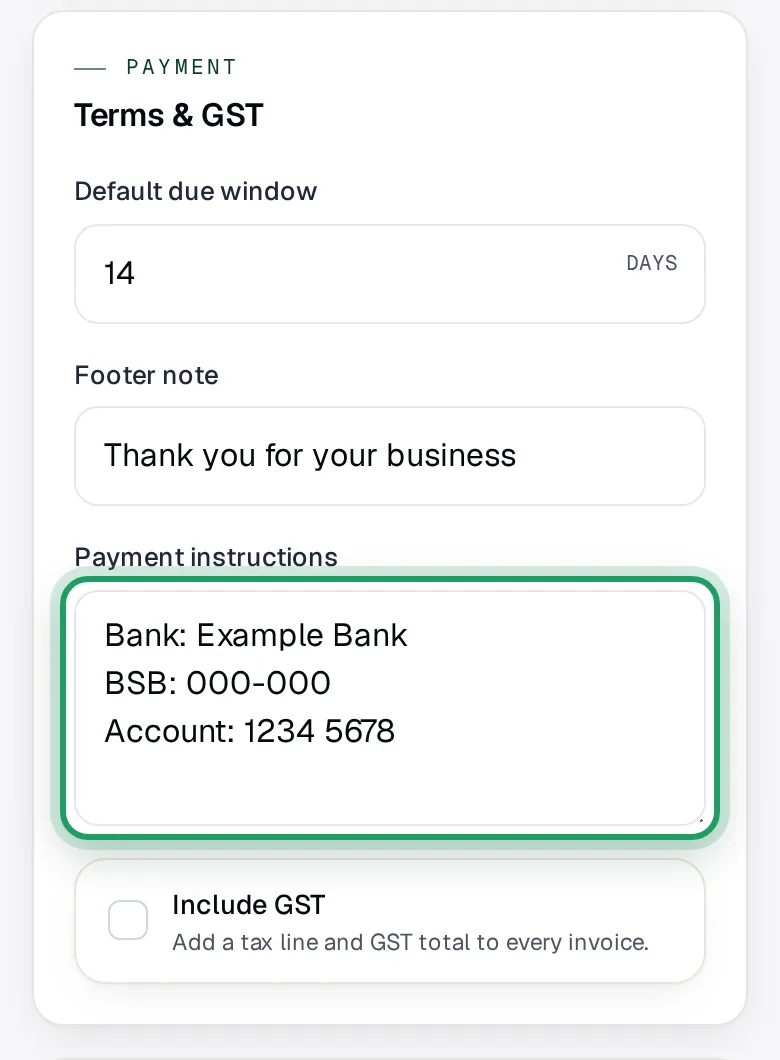
Add your bank details
On a phone: tap More, then Invoices under Money.
On a computer: select Invoices in the sidebar, under Money.
Tap Settings at the top of the page.
On a phone: it's a gear with no word, the fourth small button before New invoice.
Scroll down to the Terms & GST card.
Type your bank details in Payment instructions, one per line, like the grey example.
Leave the rest of this page as it is.
Scroll back to the top and tap Save changes. Leaving without it loses what you typed.
You'll see Saved.
Connect Stripe for card payments
Card payments are optional. For now, only teachers in Australia can set them up.
On a phone: tap More, then Billing under Account.
On a computer: select Settings in the sidebar to open it, then Billing.
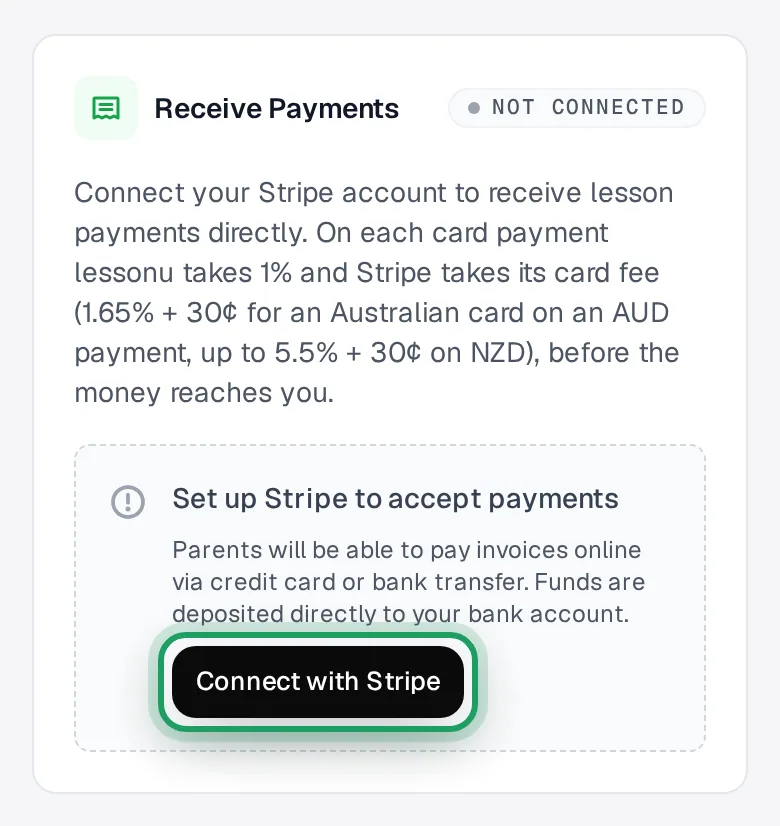
Find the Receive Payments card.
Tap Connect with Stripe. It takes you to Stripe.
Finish Stripe's setup. Stopped part way? Come back to Billing and tap Complete Setup.
When it's done, the card says Connected.
Card fees: lessonu takes 1%, and Stripe 1.65% + 30¢ for an Australian card on an AUD payment.
Let families pay by card
Once you've connected Stripe, families can pay by card from the invoice.
The invoice email has a Pay Now button. It opens the invoice without logging in.
When they pay, the invoice turns Paid by itself, and the family gets a receipt email.
You don't need to record anything.
Record a bank transfer or cash
On a phone: tap More, then Payments under Money.
On a computer: select Payments in the sidebar, under Money.
Tap Record payment.
Under From, choose the student.
Type the Amount.
Check Received, the day the money came. It starts on today.
Under How it arrived, tap Cash or Bank. Cash is chosen to start with.
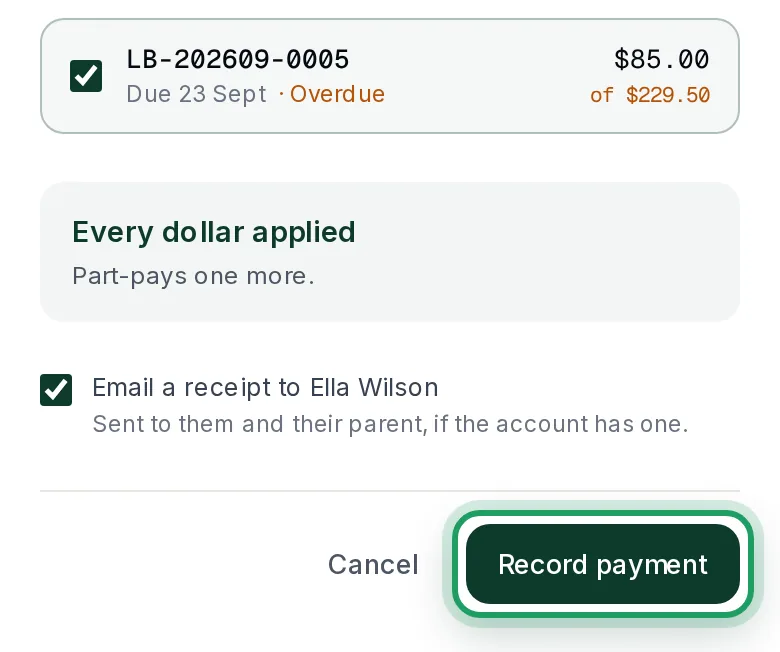
Under Apply to, check what it pays. lessonu ticks the oldest first.
Leave Email a receipt ticked to send the family a receipt.
Tap Record payment to save it.
Money left over is held as credit. It comes off their next invoice by itself.
Mark a lesson paid
Open the lesson in Calendar, as shown in Cancel or move a lesson.
Tap Mark as Paid.
If the box says still owed on its invoice, it pays all of that, not just this lesson.
For part of it, use Record payment instead, as in step 4.
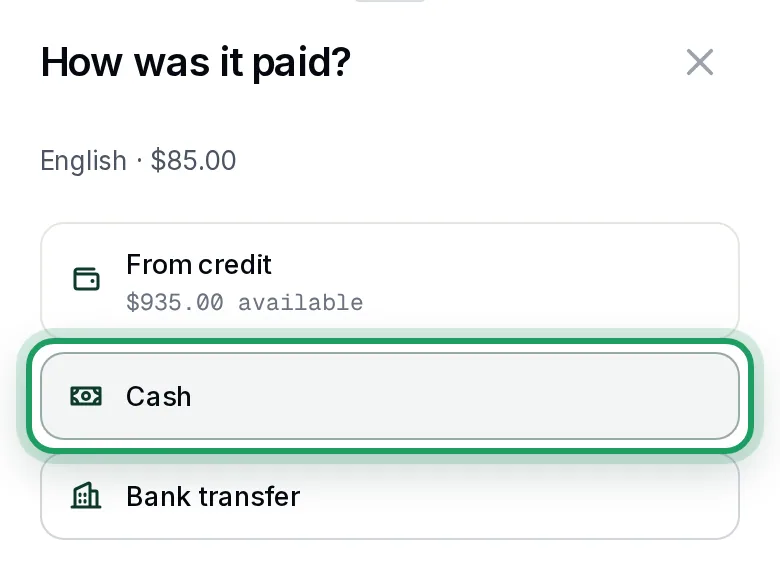
In How was it paid?, tap Cash or Bank transfer.
From credit shows only when the student holds credit, and is then chosen for you.
Leave Email a receipt ticked, or untick it.
Tap Mark as paid.
Good to know
- Mark as Paid on an invoice doesn't ask how. It records a bank transfer and sends no receipt. For cash, use Record payment and choose Cash.
- When you send an invoice, any credit the student holds comes off it straight away.
- You can mark a one-to-one lesson paid before it happens. If it's then cancelled, the money goes back to the student's credit.
Questions
A family paid for the whole term before I sent an invoice. What do I do?
Use Record payment, as in step 4. With nothing to apply it to, the whole amount is held as credit.
It comes off their next invoices by itself.
Can one child's credit pay a sibling's invoice?
No. Credit belongs to one student, so it only comes off that student's invoices.
A family is leaving. How do I give back their credit?
Pay them back yourself, outside lessonu.
Then open the student's page. In the Balance card, their credit shows as Held on account. Tap Adjust balance to take it off, and give a reason.
Where do families see my bank details?
On the invoice page the email's Pay Now button opens, while the invoice is unpaid. The email itself doesn't list them.
Each invoice keeps the details it had when it was made. Changing them later doesn't change invoices already made.
A family says the invoice reads “Ask your teacher how to pay this invoice.”
It has no bank details, and you haven't connected Stripe. Add your bank details as in step 1.
An invoice made without them then shows your new ones.
My trial has ended. Can I still record payments?
Yes. Mark as Paid and Record payment keep working.
Making, sending or cancelling an invoice says “subscribe to make changes” until you choose a plan.